Delete a dashboard
To delete a dashboard, from Portal, click Dashboards to open the list of saved dashboards.
Right-click the delete icon next to the dashboard name.
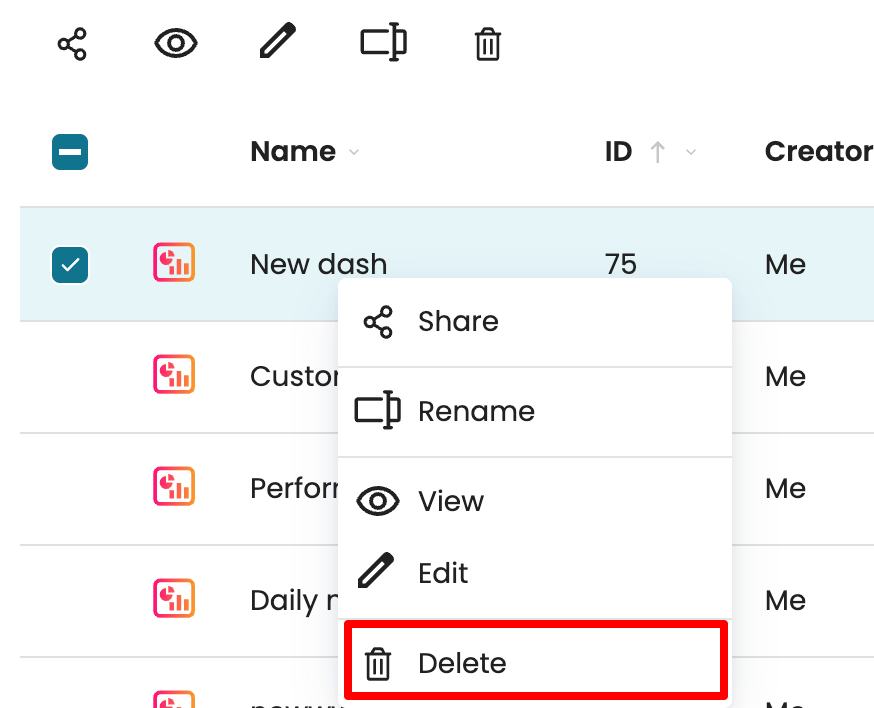
The dashboard with all its views gets deleted.
We can also delete multiple dashboards at once. To do that, select the checkboxes next to the dashboards we want to delete, then click the delete icon at the top of the list.